Custom Software Development Cost in India: Complete 2026 Pricing Guide
One of the first questions business owners ask before starting a software project is simple: How much will it cost?
The custom software development cost in India depends on what you want to build, how many people will use it, which features you need, and how complex the system is.
A basic business application that replaces spreadsheets will cost much less than a complete CRM, ERP, SaaS platform, or enterprise management system.
But there is another problem. You may contact five software development companies and receive five very different quotations for what sounds like the same project.
One company may quote ₹5 lakh. Another may quote ₹15 lakh. A third may suggest ₹30 lakh.
Does that mean one company is overcharging you?
Not necessarily.
The difference may come from the features included, the development team, the technology, security requirements, integrations, testing, and support after launch.
Before choosing a software development company, you need to understand what you are paying for.
In this guide, we will explain software development costs in India, compare different project budgets, discuss the factors that affect pricing, and show you how to avoid unnecessary development expenses.
Whether you are a startup, a small business, or an established company in India or Canada, this guide will help you plan your software project more carefully.
How Much Does Custom Software Development Cost in India in 2026?
There is no fixed price for custom software.
The final cost depends on the size and complexity of the project.
Based on publicly published 2026 pricing guides from Indian software development providers, the following figures are useful as initial budgeting ranges. They are indicative estimates, not verified industry-wide averages or quotations.
| Type of software | Indicative budget in India | Typical project scope |
|---|---|---|
| Basic internal tool | ₹3 lakh–₹8 lakh | Simple forms, records and dashboards |
| Small business application | ₹5 lakh–₹12 lakh | One or two workflows and user roles |
| Production-ready MVP | ₹8 lakh–₹20 lakh | Core features, login and essential integrations |
| Mid-sized business platform | ₹10 lakh–₹25 lakh | Multiple roles, APIs and admin dashboard |
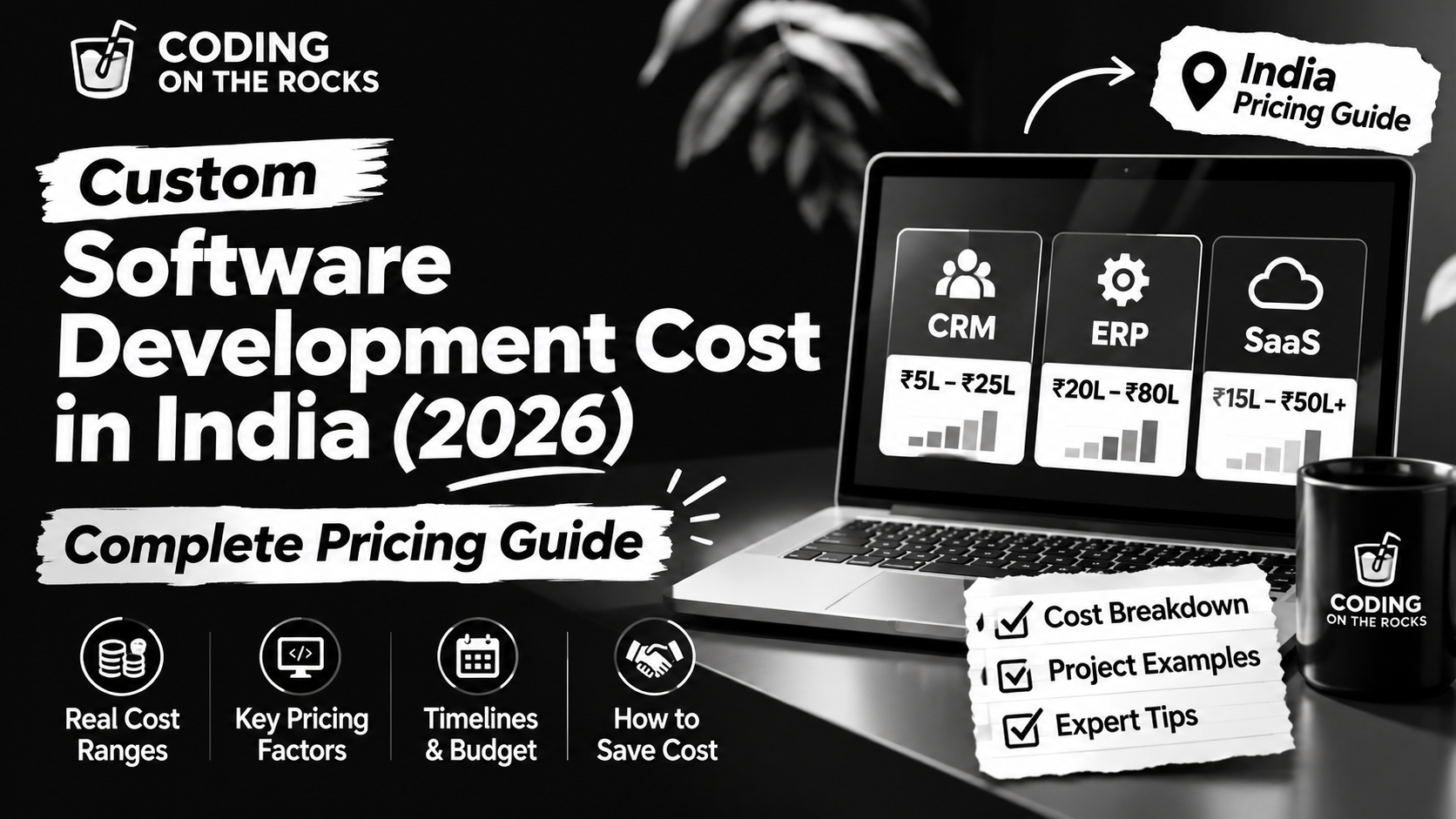
| SaaS platform | ₹15 lakh–₹50 lakh+ | Subscriptions, customer accounts and billing |
| Custom CRM or ERP | ₹20 lakh–₹80 lakh+ | Multiple modules and business workflows |
| Enterprise software | ₹40 lakh–₹1 crore+ | Complex integrations, security and scalability |
These figures are broad planning estimates. A small CRM may cost less than a complex business application, while an enterprise integration project may cost more than a basic SaaS product.
The estimates are informed by published 2026 pricing guides from software development companies, including CodeSurge AI, Ideamagix and Nexteir. https://www.codesurge.in/blog/custom-software-development-cost-india and https://www.ideamagix.com/blog/custom-software-development-cost-in-india-complete-pricing-guide-for-2026/.
Important: Do not approve a software budget using these figures alone. Ask for a technical assessment and a detailed quotation based on your actual requirements.
What Is Custom Software Development?
Custom software development means building software around the specific needs of a business instead of using a ready-made product.
For example, imagine you own a company that receives 100 customer enquiries every week.
Your team currently manages everything through spreadsheets, emails, and WhatsApp messages.
As the business grows, this process becomes difficult.
You may start missing enquiries, sending duplicate messages, losing customer details, and struggling to track sales.
Instead of using several disconnected tools, you could build a custom system that manages:
- Customer information.
- New enquiries.
- Sales follow-ups.
- Employee tasks.
- Appointment bookings.
- Payments.
- Reports.
- Customer communication.
The software would be designed around your business process.
This is what makes custom software different from an ordinary ready-made application.
Custom Software vs Ready-Made Software
Before investing in development, understand whether you actually need custom software.
| Factor | Ready-made software | Custom software |
|---|---|---|
| Development | Already built | Created for your requirements |
| Setup | Usually faster | Requires planning and development |
| Features | Based on the provider’s product | Based on your business needs |
| Customization | Limited by the platform | Greater control over functionality |
| Pricing | Subscription or licence fees | Project development and maintenance costs |
| Integrations | Depends on available integrations | Can be designed around your systems |
| Ownership | Usually governed by the vendor’s licence | Ownership depends on your contract |
| Scalability | Depends on the product | Can be planned around future requirements |
Ready-made software is often a good choice when it already solves your problem.
Custom software makes more sense when existing tools cannot support important workflows, when systems need to work together, or when your business requires a product that is unique to its operations.
Do not build custom software just because it sounds more advanced.
Build it because it solves a real business problem.
Types of Custom Software and Their Development Costs
Different types of software require different levels of planning, design, development, and testing.
Let’s look at some common projects and understand what affects their cost.
1. Custom CRM Software Development
CRM stands for Customer Relationship Management.
A CRM helps businesses manage customer information, sales activities, enquiries, and communication.
For example, a digital marketing company may receive leads through its website, Google Ads, LinkedIn, and WhatsApp.
Without a central system, employees may have to check different platforms to find customer information.
A custom CRM can bring these activities together.
Common CRM features include:
- Customer contact management.
- Lead tracking.
- Sales pipeline.
- Follow-up reminders.
- Employee assignments.
- Email and SMS integration.
- WhatsApp integration, where supported.
- Sales reports.
- Customer history.
- Role-based access.
A basic CRM may need only contact records, lead stages, and a simple dashboard.
A larger CRM may include automated workflows, multiple departments, advanced reporting, and several third-party integrations.
The more complex the system becomes, the more development work it requires.
2. Custom ERP Software Development
ERP stands for Enterprise Resource Planning.
An ERP system connects different business departments through one central software platform.
For example, a manufacturing company may need to manage inventory, purchases, production, employees, accounts, and sales.
Without an ERP, each department may use different tools.
This can create duplicate data and communication problems.
A custom ERP can connect these departments.
Common ERP modules include:
- Inventory management.
- Purchase management.
- Sales management.
- Finance and accounts.
- Human resource management.
- Production planning.
- Vendor management.
- Reporting and analytics.
- Approval workflows.
ERP development can become expensive because several departments and business processes need to work together.
A good project should begin with process mapping before development starts.
3. SaaS Product Development
SaaS stands for Software as a Service.
It is software that customers access through the internet, usually through a subscription.
Examples include project management platforms, online booking systems, business dashboards, and customer management tools.
A SaaS product may need:
- User registration and login.
- Customer dashboards.
- Subscription plans.
- Payment processing.
- Multiple user roles.
- Admin controls.
- Data separation between customers.
- Usage tracking.
- Notifications.
- Analytics.
- Security controls.
One important feature is multi-tenancy.
This means multiple customers can use the same application while their information remains separated.
A SaaS platform also needs a plan for hosting, backups, security, updates, and future scaling.
4. Custom Web Application Development
A web application is software that people access through a web browser.
It is different from a basic informational website because users can perform tasks inside it.
Examples include:
- Online booking systems.
- Customer portals.
- Employee dashboards.
- Learning management systems.
- Vendor management platforms.
- Business reporting tools.
- Online application systems.
A web application may have different user roles and permissions.
For example, a school management application may have separate dashboards for students, teachers, parents, and administrators.
Each role may have different features.
This adds to the development work.
5. Mobile Application Development
Mobile applications are designed for smartphones and tablets.
Businesses may need Android apps, iOS apps, or applications that work across both platforms.
Common features include:
- User registration.
- Push notifications.
- Location services.
- In-app payments.
- User profiles.
- Messaging.
- Camera access.
- Booking and scheduling.
- API connections.
The cost depends on whether you need one mobile platform or multiple platforms, and whether a web application or admin dashboard is also required.
6. Business Automation Software
Business automation software helps reduce repetitive manual work.
Imagine that a business receives an enquiry through its website.
An employee currently has to copy the details into a spreadsheet, assign the lead, send an email, and schedule a follow-up.
A custom automation system can connect these steps.
It may include:
- Automatic lead assignment.
- Email notifications.
- CRM updates.
- Appointment scheduling.
- Invoice generation.
- Approval workflows.
- Reporting.
- Integration with existing tools.
Automation can be a smaller project than a complete ERP or CRM, but the complexity depends on the number of workflows and systems involved.
What Factors Affect Custom Software Development Cost?
This is where many business owners make mistakes.
They compare two quotations based only on the final price.
But software pricing is based on much more than the number of screens or pages.
Here are the main factors that affect your project budget.
1. Project Complexity
The first factor is the complexity of the software.
A simple application with one user type and a few forms is easier to build than a platform with several departments, automated workflows, payments, and complex reporting.
For example:
A basic employee attendance system may need:
- Employee login.
- Attendance entry.
- Admin dashboard.
- Monthly reports.
A large workforce management system may also need:
- Multiple office locations.
- Shift management.
- Leave approvals.
- Payroll integration.
- Biometric devices.
- Location-based attendance.
- Different employee permissions.
These additional requirements increase development effort.
2. Number of Features
Every feature requires planning, design, development, and testing.
A customer portal with login and basic profile management is very different from one that also includes payment tracking, order history, document uploads, messaging, and automated notifications.
Before requesting a quotation, separate your features into three groups:
| Priority | Meaning | Example |
|---|---|---|
| Must-have | Required for the first release | Login, dashboard, core workflow |
| Should-have | Useful but can follow later | Advanced reports, notifications |
| Nice-to-have | Optional improvements | AI recommendations, extra integrations |
This helps control the initial budget.
3. UI/UX Design
UI stands for User Interface.
UX stands for User Experience.
UI is how the software looks. UX is how easy it is to use.
A well-designed application should be simple to understand and navigate.
For example, a customer should be able to book an appointment without searching through several confusing screens.
A proper design process may include:
- User research.
- Wireframes.
- Screen layouts.
- Interactive prototypes.
- Design systems.
- Mobile layouts.
- Usability testing.
A complex application with several user roles needs more design work than a basic internal tool.
Skipping design may appear to save money, but it can create confusion and expensive changes later.
4. Number of User Roles
Different users often need different permissions.
For example, an inventory management system may have:
- Administrator.
- Warehouse manager.
- Sales employee.
- Purchase manager.
- Finance employee.
Each role may need access to different information and actions.
The development team must define what each user can see, edit, approve, or delete.
This is important for security and business control.
More user roles and complex permission rules usually increase development effort.
5. Third-Party Integrations
Most businesses already use several tools.
You may use a payment gateway, accounting software, CRM, email platform, WhatsApp provider, or booking application.
Your new software may need to connect with these systems.
This is called integration.
For example, a customer may place an order on your website.
The system may need to:
- Receive the order.
- Verify the payment.
- Update the inventory.
- Create an invoice.
- Notify the warehouse.
- Send an order confirmation.
Each connection needs proper setup and testing.
The cost depends on API availability, documentation, authentication, data formats, and the complexity of the workflow.
6. Technology Stack
The technology stack is the combination of programming languages, frameworks, databases, and tools used to build your software.
Common technologies include:
| Technology | Common use |
|---|---|
| React | Interactive user interfaces |
| Next.js | Modern web applications |
| Node.js | Backend development |
| Python | Backend systems, automation and AI |
| PHP | Web applications and integrations |
| Laravel | PHP application development |
| .NET | Business and enterprise applications |
| Java | Large business systems |
| PostgreSQL | Relational databases |
| MySQL | Relational databases |
| AWS and Azure | Cloud infrastructure |
The technology should be selected based on your requirements, not simply because it is popular.
A good development company should explain why a particular stack is suitable for your project.
7. Data Security and Privacy
Security should not be treated as an optional feature.
Your application may store customer details, employee information, financial records, business documents, or other sensitive data.
Depending on the project, security requirements may include:
- Secure authentication.
- Role-based permissions.
- Data encryption.
- Audit logs.
- Secure API connections.
- Backups.
- Vulnerability testing.
- Access monitoring.
Businesses operating in India or Canada should also consider the privacy laws and contractual obligations that apply to their industry and customers.
For example, Canadian organizations may need to consider PIPEDA or applicable provincial privacy laws, while Indian businesses should assess applicable obligations under the Digital Personal Data Protection Act and other relevant laws.
The exact requirements depend on the business, the data being processed, and where the users are located.
8. Testing and Quality Assurance
Testing helps find problems before the software reaches real users.
A development team should check whether the application works correctly under different conditions.
Testing may include:
- Functional testing.
- Mobile testing.
- Browser testing.
- Security testing.
- API testing.
- Performance testing.
- User acceptance testing.
For example, a payment system should be tested for successful payments, failed payments, duplicate requests, and interrupted transactions.
Skipping proper testing may create problems after launch.
Fixing a serious issue after customers start using the software can be more expensive than finding it during development.
9. Maintenance and Ongoing Support
Software development does not end when the application goes live.
Your software may need:
- Security updates.
- Bug fixes.
- Server monitoring.
- Database maintenance.
- Backup checks.
- Performance improvements.
- New features.
- Compatibility updates.
Ask the development company whether maintenance is included in the original quotation or charged separately.
10. Development Team Experience
The people working on your project also affect the cost.
A project may require:
- Business analyst.
- Project manager.
- UI/UX designer.
- Frontend developer.
- Backend developer.
- Database specialist.
- QA engineer.
- DevOps engineer.
Not every project needs every role full-time.
A small application may need a smaller team, while a complex platform may need several specialists.
Do not select a company only because its hourly rate is low.
The experience and quality of the team can affect the total time, number of errors, and long-term cost.
Custom Software Development Cost by Project Size
Let’s look at a more practical comparison.
The following examples are planning categories, not fixed quotations.
| Project size | Example | Indicative budget | Relative complexity |
|---|---|---|---|
| Small | Basic internal tool | ₹3–8 lakh | Low |
| Medium | Custom business application | ₹8–20 lakh | Medium |
| Large | Multi-module CRM or SaaS | ₹20–50 lakh | High |
| Enterprise | Complex ERP or integrated platform | ₹40 lakh–₹1 crore+ | Very high |
The same type of software can fall into different budget ranges.
For example, one CRM may only manage contacts and leads.
Another CRM may manage multiple teams, sales forecasting, automated communication, payment information, and advanced reporting.
They are both called CRM systems, but the development requirements are very different.
How Long Does Custom Software Development Take?
Cost and timeline are connected.
A project with more features, integrations, and testing requirements generally needs more time.
Here are broad planning estimates for different project types.
| Project type | Indicative timeline |
|---|---|
| Basic internal tool | 4–10 weeks |
| Small business application | 8–14 weeks |
| Production-ready MVP | 10–20 weeks |
| Mid-sized business platform | 4–7 months |
| SaaS platform | 4–9 months |
| Enterprise software | 7–15 months or longer |
These are planning ranges, not delivery guarantees.
The actual timeline depends on the scope, team availability, client approvals, integration dependencies, and testing requirements.
What Happens During the Development Process?
A professional software project should follow a clear process.
Phase 1: Requirement Analysis
The team understands your business problem and the software you need.
This includes:
- Business goals.
- User requirements.
- Current processes.
- Required features.
- Integration needs.
- Budget expectations.
Phase 2: Planning and Architecture
The team decides how the software will be structured.
This includes database planning, technology selection, security requirements, and system architecture.
Phase 3: UI/UX Design
The team prepares wireframes and visual designs.
You should be able to review the screens before full development begins.
Phase 4: Development
Developers build the frontend, backend, database, APIs, and other required features.
Work should be divided into manageable milestones or sprints.
Phase 5: Testing
The team checks the application for bugs, security issues, and usability problems.
You should also have an opportunity to test the software.
Phase 6: Deployment
The software is moved to its live environment.
This may include hosting setup, domain configuration, database deployment, and user access.
Phase 7: Maintenance
The team provides agreed post-launch support, updates, monitoring, and improvements.
Hidden Costs of Custom Software Development
One of the biggest mistakes businesses make is planning only for the development quotation.
The actual cost of running software can include several additional expenses.
| Cost area | What it covers |
|---|---|
| Hosting | Servers and cloud infrastructure |
| Domain and SSL | Domain registration and secure connections |
| Third-party tools | Paid APIs, messaging and external platforms |
| Payment gateway | Transaction fees and integration costs |
| Maintenance | Bug fixes, updates and monitoring |
| Security | Audits, backups and security improvements |
| Data migration | Moving existing records into the new system |
| Training | Helping employees learn the software |
| Future development | New features and improvements |
1. Hosting and Cloud Costs
Your application needs an environment where it can run.
This may involve cloud hosting, databases, storage, backups, and network services.
A small application may require limited infrastructure.
A large application with many users may need more computing power and storage.
Ask whether hosting is included in your development package.
2. Third-Party API Costs
Some software uses external services.
For example:
- SMS services.
- WhatsApp Business API.
- Payment gateways.
- Email delivery services.
- Maps and location APIs.
- AI model APIs.
Some services charge based on usage.
These expenses should be considered before launch.
3. Maintenance Costs
Software needs regular attention.
A maintenance agreement may cover security patches, backups, bug fixes, and small improvements.
Major feature additions may require a separate quotation.
4. Employee Training
Your employees need to understand how to use the new system.
If the application is complicated, training may take time.
A good development team should provide documentation and a handover process.
5. Future Improvements
Your business will change.
You may need new reports, additional user roles, new integrations, or mobile access.
Plan for future development rather than spending the entire budget on the first version.
How to Reduce Custom Software Development Cost Without Reducing Quality
You do not need to build every feature immediately.
In fact, one of the best ways to manage your software budget is to start with the most important requirements.
Here are some practical ways to do that.
1. Start With an MVP
MVP means Minimum Viable Product.
It is the first usable version of your software that includes the most important features.
For example, if you want to build a CRM, your first version may include:
- Login.
- Contact management.
- Lead tracking.
- Follow-up reminders.
- Basic reporting.
You can add advanced automation and integrations later.
This helps you launch sooner and understand how people use the application.
2. Prepare Your Requirements Before Contacting Developers
Do not approach a development company with only an idea such as:
“I want software like Salesforce.”
Instead, explain what you want the software to do.
Write down:
- The problem you want to solve.
- Who will use the software.
- What each user should be able to do.
- Which systems need to connect.
- What reports you need.
- Which features are essential.
A clear brief helps the team estimate the work more accurately.
3. Avoid Unnecessary Features
Every feature needs development and testing.
Ask yourself whether each feature is required for the first release.
If it does not solve an important problem, consider adding it later.
4. Choose the Right Technology
Do not select technology only because another company uses it.
Your development partner should choose tools that support your requirements, available skills, maintenance needs, and future growth.
5. Review Progress Regularly
Ask for regular demonstrations.
Review the work before the project moves to the next major stage.
This helps identify misunderstandings early and reduces expensive changes later.
6. Use Existing Tools Where They Make Sense
Not every part of your software needs to be built from scratch.
You may be able to use existing payment services, authentication systems, reporting tools, or CRM platforms.
A good development team should identify where integration is more practical than custom development.
How to Choose the Right Custom Software Development Company in India
The development partner you select can affect the quality, cost, and success of your project.
Do not choose a company only because it gives you the lowest quotation.
Check the following points before signing an agreement.
| What to check | Questions to ask |
|---|---|
| Experience | Have you built similar software before? |
| Technical skills | Which technologies will you use and why? |
| Project process | How will the project be planned and delivered? |
| Communication | Who will manage the project? |
| Pricing | What is included in the quotation? |
| Security | How will customer data be protected? |
| Code ownership | Who owns the source code and intellectual property? |
| Testing | How will the software be tested? |
| Support | What happens after launch? |
| Scalability | Can the software support future requirements? |
You should also ask for examples of previous projects.
A good software development company should be able to explain how it approaches a project, what challenges it expects, and how it will manage those challenges.
You can also read our guide to the 13 Best Custom Software Development Companies in India to compare development partners and understand what to check before hiring one.
Fixed-Price vs Hourly vs Dedicated Development Team
Software companies may offer different pricing models.
Each model has advantages and limitations.
| Pricing model | How it works | Best suited for |
|---|---|---|
| Fixed price | One agreed amount for a defined scope | Projects with clear requirements |
| Time and materials | Payment based on actual work and agreed rates | Projects with changing requirements |
| Dedicated team | A team is assigned for an ongoing period | Long-term products and continuous development |
Fixed-Price Development
You agree on the project scope and price before development starts.
This model can work well when requirements are clear.
However, changes outside the agreed scope may require additional payment.
Time and Materials
You pay for the time and resources used.
This can work when the project is expected to evolve.
It requires good communication, progress tracking, and budget control.
Dedicated Development Team
A dedicated team works on your project over an agreed period.
This can be useful for businesses building products that need regular updates and new features.
Before selecting a model, understand how changes, delays, approvals, and additional work will be handled.
Custom Software Development Cost in India vs Canada
Businesses in Canada sometimes consider hiring a software development company in India because of the available technical talent and different cost structures.
However, comparing only hourly rates can be misleading.
You should compare the complete project scope and delivery model.
| Factor | India | Canada |
|---|---|---|
| Development market | Large and diverse technical talent pool | Established software development market |
| Pricing | Often more cost-effective for comparable scopes | Often higher labour and operating costs |
| Communication | Depends on provider and project process | Local time-zone communication may be easier |
| Project management | Can be handled remotely with clear processes | Local collaboration may be easier |
| Support | Can be arranged through agreed service hours | Often available during local business hours |
| Best comparison method | Total scope and deliverables | Total scope and deliverables |
An Indian development partner may be a suitable option for a Canadian company if the team has clear communication, reliable project management, suitable security practices, and a documented delivery process.
For international projects, also consider:
- Time-zone overlap.
- Data location requirements.
- Privacy and contractual obligations.
- Currency and payment terms.
- Intellectual property ownership.
- Support arrangements.
The best provider is not necessarily the cheapest one.
It is the provider that delivers the right solution within a clear budget and process.
Is Custom Software Worth the Investment?
Custom software can be a useful investment when it solves a problem that affects your business every day.
Let’s look at an example.
Imagine that a company has five employees managing customer enquiries.
Each employee uses separate spreadsheets and email conversations.
This creates problems:
- Customer details are repeated.
- Follow-ups are missed.
- Managers cannot see the full sales pipeline.
- Reports take hours to prepare.
- Employees spend time copying information.
A custom system could bring these activities together.
The company may save time, reduce manual work, and improve visibility into its operations.
But you should calculate the value before investing.
Ask:
- How much time will the software save?
- How many employees will use it?
- Will it reduce errors?
- Will it improve customer service?
- Will it increase sales or productivity?
- How much will it cost to operate?
- How long will it take to recover the investment?
A Simple Example of Software ROI
Imagine that your business spends 80 employee hours every month on a repetitive manual process.
After automation, the work takes 20 hours.
That saves 60 hours every month.
You can compare the value of those saved hours with the cost of building and maintaining the software.
| Measurement | Before automation | After automation |
|---|---|---|
| Monthly manual work | 80 hours | 20 hours |
| Monthly time saved | — | 60 hours |
| Annual time saved | — | 720 hours |
This is an illustrative example.
The actual financial benefit depends on employee costs, the value of the time saved, the reliability of the system, and whether the saved time is used productively.
The point is simple: measure the business value, not just the development cost.
Why Choose Coding on the Rocks for Custom Software Development?
Choosing a development company is not only about finding developers who can write code.
You need a team that understands your business, your processes, and the problems the software needs to solve.
At Coding on the Rocks, we work with startups, small businesses, growing companies, and agencies that need practical digital solutions.
Our development services include:
Custom Web Applications
We develop web applications around business requirements, including customer portals, dashboards, booking systems, and internal management tools.
CRM and Workflow Integrations
We help businesses connect their websites, CRM systems, payment services, booking tools, and marketing platforms.
Business Automation
We help reduce repetitive manual work through automation and connected workflows.
Website and E-commerce Development
We also build business websites and online stores designed around usability, performance, and customer conversion.
Ongoing Website and Software Support
We can discuss maintenance, improvements, and technical support based on your project’s requirements.
Explore our web development services to understand how we approach websites and web applications.
You can also browse our complete range of digital services if your project needs development and marketing support together.
What Should You Prepare Before Requesting a Software Development Quote?
Before contacting a development company, prepare a short project brief.
You do not need a complete technical document.
You only need to explain what your business needs.
| Information required | What to provide |
|---|---|
| Business details | Company name and industry |
| Project idea | What do you want to build? |
| Business problem | What problem should the software solve? |
| Users | Who will use the application? |
| Features | Which features are required? |
| Platforms | Web, Android, iOS or desktop |
| Integrations | CRM, payment, WhatsApp, email or other tools |
| Design | Any reference applications or websites |
| Budget | Approximate investment range |
| Timeline | Preferred launch date |
| Support | Whether ongoing maintenance is required |
The more clearly you explain your requirements, the easier it becomes for a development company to prepare a useful estimate.
Final Thoughts: Plan Your Software Budget Before You Start Building
The custom software development cost in India depends on the work required, not just the name of the software you want to build.
A basic internal application, a custom CRM, a SaaS platform, and an enterprise ERP are very different projects.
Before choosing a development partner, understand your business requirements, separate essential features from optional ones, compare detailed quotations, and plan for maintenance.
Do not select a company only because it promises the lowest price.
Look for a team that communicates clearly, understands your processes, follows a structured development approach, and explains what you will receive at every stage.
Most importantly, build software to solve a real business problem.
Planning a custom software project?
Coding on the Rocks can help you understand your requirements, explore the right development approach, and plan your next steps.
Explore our web development services or contact our team to discuss your project.
Frequently Asked Questions (FAQs)
1. What is the custom software development cost in India in 2026?
The cost varies according to the project’s size and complexity. A basic internal tool may require a budget of a few lakh rupees, while a production-ready MVP, SaaS platform, CRM, ERP, or enterprise application may require a much larger investment. A detailed scope is needed for an accurate quotation.
2. How much does it cost to build custom software for a small business in India?
A small business application may fall within an indicative budget of ₹5 lakh to ₹12 lakh, depending on its features, user roles, integrations, and design. A simple tool may cost less, while a more advanced system may cost more.
3. How much does custom CRM development cost in India?
CRM development costs depend on the number of features and integrations. A basic CRM with contact management and lead tracking requires less work than a system with automated follow-ups, advanced reporting, multiple user roles, and third-party integrations.
4. What is the cost of ERP software development in India?
Custom ERP development can require a significant investment because it connects multiple departments and business processes. The cost depends on the modules, permissions, reporting, integrations, security requirements, and data migration involved.
5. How much does SaaS development cost in India?
SaaS development costs depend on the product’s features, user management, subscription billing, multi-tenant architecture, integrations, and infrastructure. A basic MVP will generally cost less than a fully developed enterprise SaaS platform.
6. How long does custom software development take?
A small application may take several weeks, while a larger business platform may take several months. Enterprise systems can take a year or longer. The timeline depends on scope, integrations, approvals, testing, and team capacity.
7. Is custom software better than ready-made software?
Custom software is useful when existing products cannot support your business requirements. Ready-made software is often a better option when it already solves your problem at a reasonable cost. Compare functionality, long-term expenses, ownership, and flexibility before deciding.
8. What factors affect software development pricing?
The main factors include project complexity, features, number of users, design, integrations, technology, security, testing, development team experience, and ongoing support.
9. Is source code ownership included in custom software development?
It depends on the agreement. Your contract should clearly explain ownership of source code, documentation, intellectual property, third-party components, and licences. Do not assume that full ownership is included without checking the contract.
10. Do I need to pay separately for software maintenance?
Some development agreements include an initial support period. Ongoing maintenance may be charged separately. Ask about security updates, backups, bug fixes, hosting, monitoring, and future improvements before signing.
11. Can I hire an Indian software development company from Canada?
Yes. Many Indian development companies work with international clients. Check communication, time-zone overlap, project management, privacy requirements, intellectual property terms, and support arrangements before starting.
12. What is an MVP in software development?
An MVP, or Minimum Viable Product, is the first usable version of a software product. It includes the core features needed to solve the main problem. Additional features can be developed after testing the product with real users.
13. Which technology is best for custom software development?
There is no single best technology for every project. React, Next.js, Node.js, Python, PHP, .NET, Java, and other technologies can all be suitable depending on the application, integrations, security needs, and long-term maintenance requirements.
14. Can custom software connect with my existing CRM or accounting system?
Yes, provided the existing platform supports a suitable integration method. Developers can use APIs, webhooks, and other approved connection methods to exchange information between systems.
15. How can I reduce custom software development costs?
Start with an MVP, prepare clear requirements, prioritize essential features, use existing tools where appropriate, select suitable technology, and review progress regularly. Avoid unnecessary features in the first release.
16. What should I check before hiring a software development company in India?
Check the company’s experience, technical skills, previous work, project process, pricing, security practices, communication, source code ownership, testing, and post-launch support.
17. Are hosting and domain costs included in software development?
Not always. Hosting, cloud infrastructure, domain registration, paid APIs, email services, and other third-party expenses may be billed separately. Ask for a complete breakdown before approving the project.
18. Can custom software be upgraded in the future?
Yes. A well-planned software architecture can support additional features, integrations, and users. However, future upgrades depend on the original architecture, code quality, documentation, and technology choices.
19. What is the difference between fixed-price and hourly software development?
Fixed-price development uses an agreed cost for a defined scope. Hourly or time-and-materials development charges for actual work performed. Fixed pricing works well for clearly defined projects, while hourly arrangements may suit projects with changing requirements.
20. How do I get a quotation for custom software development?
Prepare a brief describing your business, the problem you want to solve, the users, required features, integrations, preferred platforms, budget, and timeline. Share it with a development company and request a detailed scope, delivery plan, and quotation.